

Discover iOS 26.1: Liquid Glass & 50+ Security Updates
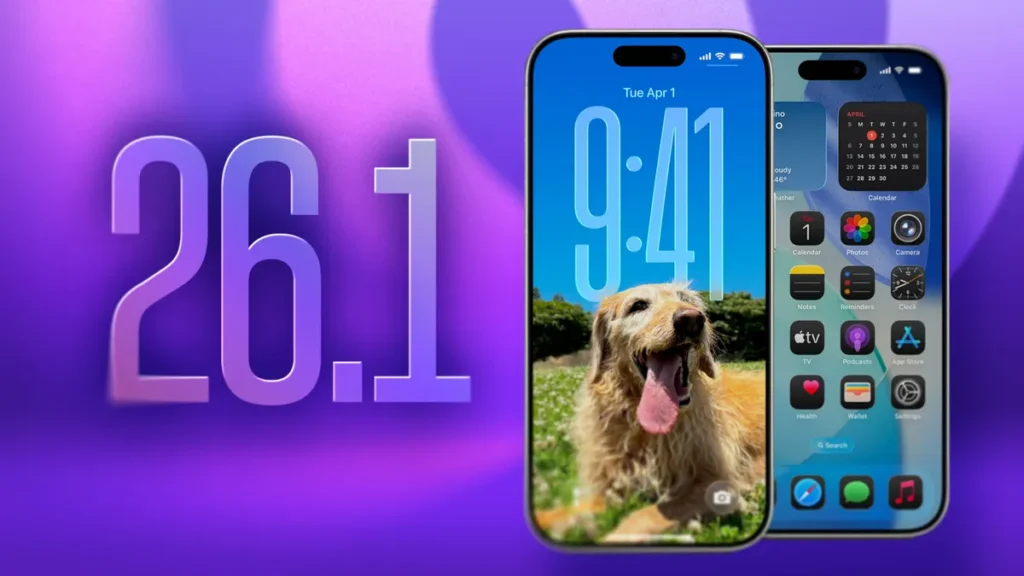
The release of iOS 26.1 marks Apple’s first major feature and maintenance update following the launch of iOS 26. Far from a minor incremental patch, this update is a crucial refinement that directly addresses user feedback, enhances accessibility, and—most importantly—delivers a staggering volume of critical security fixes.
For any iPhone user on a supported device (iPhone 11 and later), installing iOS 26.1 is not just recommended; it’s essential. We’re diving deep into the complete iOS 26.1 changelog, providing the technical details on the much-discussed Liquid Glass update, breaking down the expanded global features, and explaining why the included security patches demand your immediate attention.
Section 1: The Visual Revolution—Customizing the ‘Liquid Glass’ Interface
Since its debut in iOS 26, the transparent, refracting Liquid Glass design language has been both praised for its modern aesthetic and criticized for its impact on legibility. iOS 26.1 introduces a simple yet transformative solution that puts control back in the user’s hands.
💡 Introducing the ‘Liquid Glass’ Transparency Toggle
The new setting, found under Settings > Display & Brightness, offers a choice between two distinct visual modes:
- “Clear Look” (Default): Retains the original highly translucent design where UI elements heavily blur and refract the content behind them.
- “Tinted Look” (New): Adds a subtle, opaque “frosting” effect to these transparent elements (such as the Control Center, Lock Screen notifications, and the Dock).
The “Tinted Look” significantly boosts contrast and readability, resolving one of the most common visual complaints since iOS 26’s launch. By increasing the opacity, text and icons stand out more distinctly, making the interface more accessible and easier on the eyes, especially against detailed or brightly colored wallpapers. This move demonstrates Apple’s commitment to refining its design based on real-world usage and accessibility needs.
Keyword Focus: Liquid Glass setting, Liquid Glass transparency toggle, iOS 26.1 visual updates, iPhone readability fix.
Section 2: Beyond Design—Essential Quality-of-Life Improvements
While the Liquid Glass fix grabs headlines, a host of quality-of-life features in iOS 26.1 will fundamentally improve daily interactions with your iPhone.
🔒 Disabling the Lock Screen Camera Swipe
For years, users have dealt with the annoyance of accidentally triggering the Camera app while pulling their phone from a pocket or bag. iOS 26.1 finally provides a solution: a new toggle to disable the Lock Screen swipe-to-camera gesture.
- Location: Settings > Camera > Lock Screen Swipe to Open Camera.
- Impact: Prevents accidental launches, saves battery life, and eliminates pockets full of blurry photos.
⏰ The “Slide to Stop” Alarm Gesture
To combat the phenomenon of users accidentally silencing their morning alarms in a half-asleep daze, Apple has redesigned the alarm dismissal process on the Lock Screen.
- New Interaction: Instead of a simple tap, alarms and timers now require a deliberate “slide to stop” gesture.
- User Benefit: This small increase in necessary friction is intended to ensure users are more intentionally awake before dismissing an alert.
🎧 Pro-User Audio & Music Control
Music and audio professionals receive useful new controls:
- Apple Music Mini Player Gestures: In the minimized player at the bottom of the screen, users can now swipe left/right on the song title to skip tracks.
- AutoMix over AirPlay: The seamless, cross-fade audio blending feature (AutoMix) now works reliably when streaming music via AirPlay to compatible speakers.
- External Microphone Gain Control: Creators using external USB microphones for high-quality local capture can now adjust the input gain levels directly on the iPhone.
- Local Capture File Location: Users gain the ability to specify a preferred location for saving local audio and video capture files, allowing for better organization.
Keyword Focus: Disable Camera Swipe, Slide to Stop Alarm, Apple Music swipe gestures, USB Microphone Gain Control, iOS 26.1 quality of life.
Section 3: Global Reach – Live Translation and Apple Intelligence Expansion
The iOS 26.1 update significantly expands Apple’s global capabilities, particularly for its AI suite, Apple Intelligence, and the real-time Live Translation feature.
🗣️ Live Translation with AirPods Expansion
The game-changing Live Translation feature, which enables real-time, hands-free audio translation via compatible AirPods, has nearly doubled its language support. The new additions include
| New Language | Usage Context |
| Chinese (Simplified & Traditional) | Crucial for global travelers and business. |
| Japanese | Enhances tourism and professional communication. |
| Korean | Supports growing K-Pop and tech industry engagement. |
| Italian | Expands support across Europe. |
This expansion brings the total supported languages for Live Translation to 11, making it an increasingly powerful tool for breaking down communication barriers in Messages, FaceTime, and face-to-face conversations.
🧠 Broader Apple Intelligence Language Support
In parallel, the underlying Apple Intelligence on-device AI system is expanding its language recognition to support several new regions, including Danish, Dutch, Norwegian, Portuguese (Portugal), Swedish, Turkish, Vietnamese, and Traditional Chinese. This foundational support lays the groundwork for richer AI-driven features like Proofread, Rewrite, Summarise, and Genmoji for a significantly wider global user base.
👨👩👧👦 Enhanced Communication Safety
Reinforcing parental controls, Apple has refined the Communication Safety and Web Content Filter settings. These filters, which restrict children (aged 13–17) from viewing adult websites and monitor explicit content in messages, are now automatically enabled by default for existing child accounts.
Keyword Focus: Live Translation AirPods supported languages, Apple Intelligence language expansion, iOS 26.1 Live Translation Chinese, iPhone Communication Safety.
Section 4: The Most Critical Component – Over 50 Security Fixes
While new features are visible, the true significance of iOS 26.1 lies in its massive security component. The update patches over 50 unique vulnerabilities across the operating system.
Security researchers emphasize that this is a non-optional update, as it addresses flaws that could be exploited for severe attacks, including remote code execution and data theft.
🌐 WebKit and Safari Vulnerabilities
The largest block of fixes—over 19 of them—target WebKit, the rendering engine used by Safari and all third-party browsers on iOS. These vulnerabilities were often related to memory management:
- Memory Corruption: Multiple use-after-free and buffer overflow issues were patched. If exploited, these could allow a malicious website to execute arbitrary code with the same privileges as the browsing process, leading to system crashes or data breaches.
- Cross-Origin Data Exfiltration: Fixes were implemented to prevent certain flaws that could allow a website to sneakily retrieve data from another website or application (a cross-origin privacy violation).
- Keystroke Monitoring: A critical patch addressed a bug that could allow an attacker to unauthorizedly monitor keystrokes, a severe privacy threat.
⚙️ Kernel and Core System Integrity Patches
The update addresses high-severity vulnerabilities in the Kernel (the core of the operating system), which governs access to the device’s hardware. Flaws fixed here often carry the highest risk:
- Sandbox Escapes: Patches were applied to the AppleMobileFileIntegrity and Assets components to prevent malicious apps from escaping their “sandbox” (their restricted area) to access protected system files or user data.
- Memory Corruption: Issues in the Apple Neural Engine and the Kernel itself were addressed to prevent arbitrary code execution or kernel corruption, which could lead to system instability or denial-of-service (DoS) attacks.
- Stolen Device Protection: A logic flaw that could allow a physical attacker to disable the Stolen Device Protection feature was fixed, enhancing security for lost or stolen iPhones.
- Automatic Background Security Improvements: iOS 26.1 introduces a new feature that automatically and silently downloads and installs critical security patches between major updates, an evolution of the Rapid Security Response system to provide near-instantaneous protection against zero-day threats.
| Component Fixed | Impact Risk | Severity |
| WebKit (Safari) | Arbitrary Code Execution, Data Leaks | High |
| Kernel | Sandbox Escape, System Corruption | Critical |
| Apple Neural Engine | Memory Corruption, System Crash | High |
| Accessibility | App Fingerprinting/Detection | Medium |
| Stolen Device Protection | Security Feature Bypass | High |
Keyword Focus: iOS 26.1 security vulnerabilities patched, WebKit security fixes, iPhone Kernel exploit fix, Background Security Improvements, iOS 26.1 critical security patches.
Section 5: The Minor Details and Refinements
Rounding out the extensive iOS 26.1 changelog are several minor design and functionality tweaks that contribute to a more polished user experience:
- FaceTime Audio: Improved audio quality during FaceTime calls, particularly when operating on low-bandwidth network connections.
- Fitness App: The ability to manually log workouts directly within the Fitness app is now available.
- Phone Haptics: A new option allows users to disable the haptic feedback (vibration) that occurs when a call connects or disconnects, reducing notification fatigue.
- UI Alignment: Subtle design tweaks, such as shifting some headers in the Settings app and Home Screen folders from center-aligned to left-aligned, contribute to a cleaner visual layout.
- AirDrop Icon Fix: An issue where the AirDrop icon displayed visual defects in the Share Sheet has been resolved.
Final Verdict and Call to Action
The iOS 26.1 update is a landmark release. It successfully fuses critical security measures with significant user-facing enhancements, transforming the highly-debated Liquid Glass aesthetic into a customizable experience while dramatically strengthening the iPhone’s security posture.
Given the volume of over 50 security fixes—including high-risk vulnerabilities in WebKit and the Kernel—this update is not optional. It is a mandatory defensive maneuver to keep your device secure from evolving threats.
Don’t wait. Protect your iPhone and enjoy the new features today!
📲 How to Install iOS 26.1
- Navigate to Settings on your iPhone.
- Tap General.
- Select Software Update.
- Tap Download and Install when the iOS 26.1 prompt appears.
Pro Tip: Ensure your device is backed up via iCloud or a computer before beginning the update process.
